AI Max will find you more conversions. Whether those conversions are worth having depends on a number Google never sees: your margin.
Google describes AI Max as “a continuous optimization layer for your Search campaigns.” It’s now a setting inside campaigns you already run.
Switched on, it does two things.
- It matches your ads to queries beyond your keyword list.
- It customizes ad text and can send the click to a different page on your site through Final URL expansion.
Both features widen what a campaign can sell and where it can send people. In theory, it’s supposed to capture what a manual build might miss.
One independent study from a search MMM firm analyzed more than 250 Search campaigns using AI Max. Median conversion value rose 13%. Median CPA rose 16%. Median ROAS came out roughly neutral, with an unusually wide spread between accounts. Google's Ads liaison gave the reason plainly: incremental volume follows diminishing returns, so the next conversion tends to cost more than the last.
More revenue at a higher cost per order as you scale is often an expected trade, and makes sense as long as the added orders carry healthy margin.
So, do you know which orders AI Max added?
The blind spot: margin efficiency
Smart Bidding optimizes toward the conversion value you report. For most ecommerce accounts that value is revenue or a CPA target.
A $60 order on a thin-margin product and a $60 order on a strong-margin product look identical to the system. Final URL expansion then gives the system freedom to route queries to whichever pages convert most readily. Nothing in that loop knows which products pay for the media.
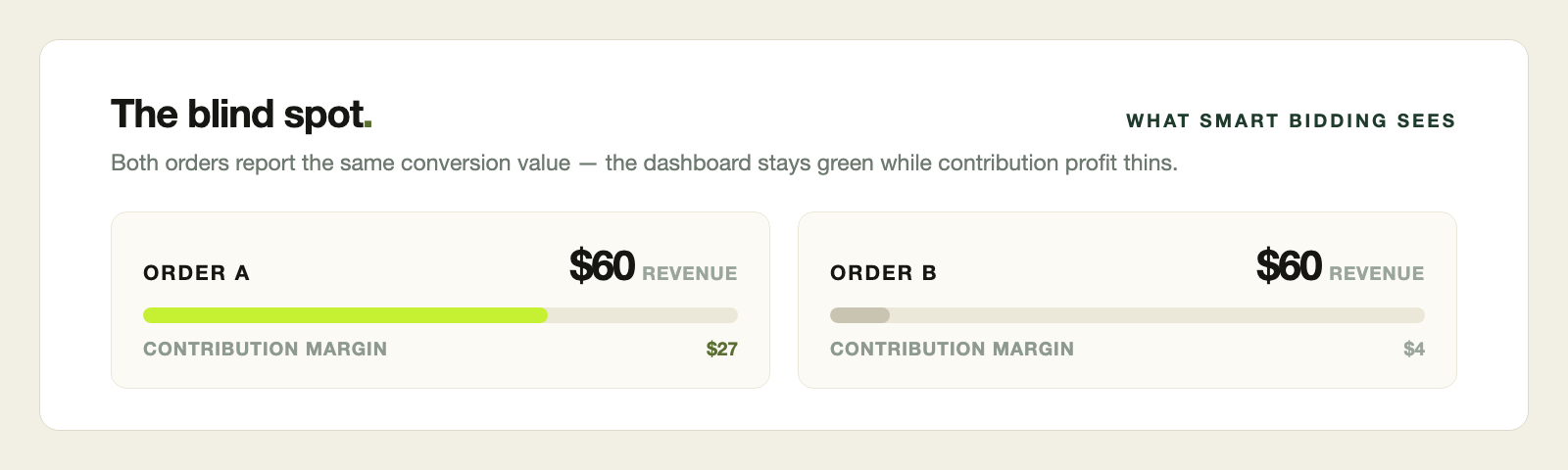
Aggregate ROAS will not surface the problem. A campaign can hold its target while the mix of what it sells shifts toward products that contribute less. The dashboard stays green while contribution profit thins.
Treat this as a risk to test for. Where the added volume lands inside your catalog is something only your own account can answer.
How to check AI Max
Start with Google's reporting. The search terms report carries match type values for AI Max, and it now shows the headline and landing page URL served for each term.
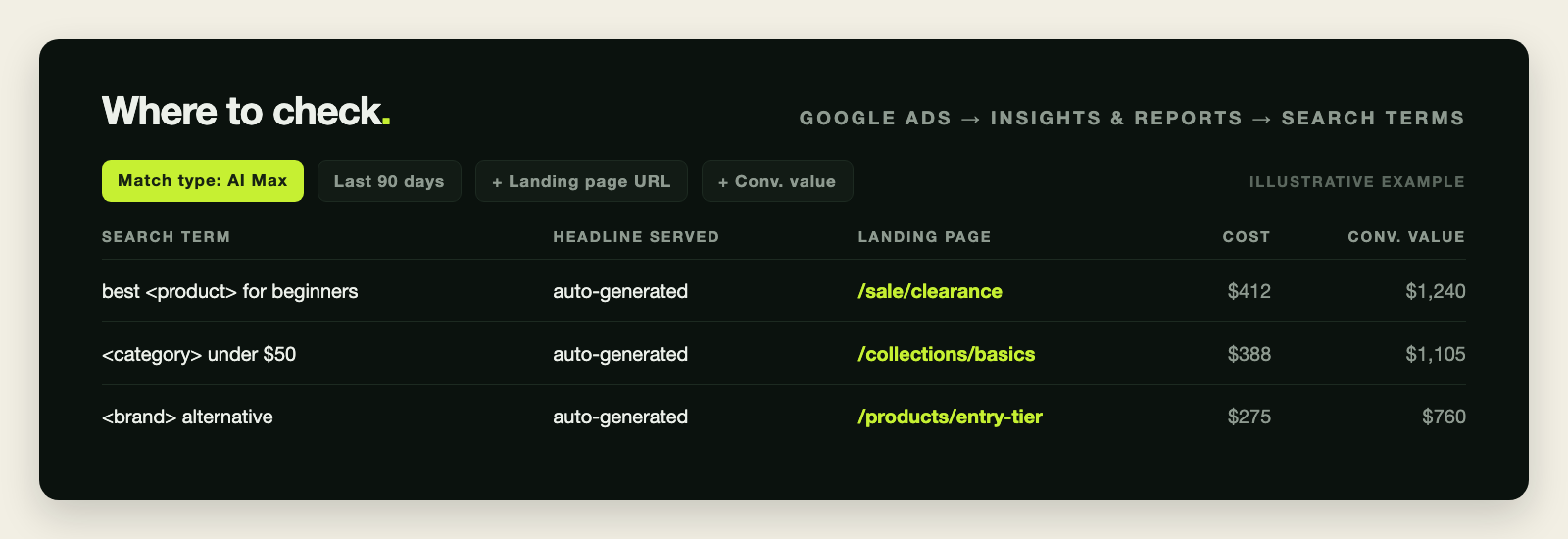
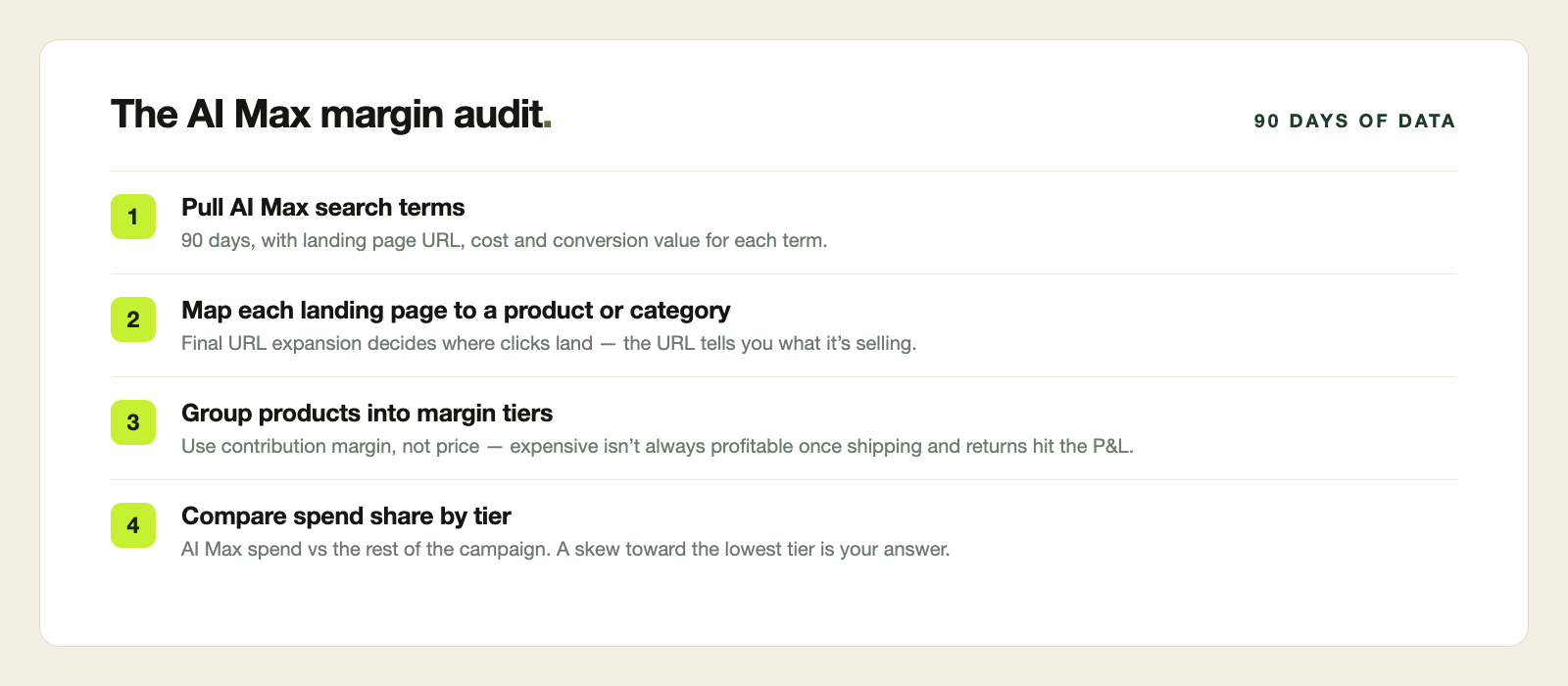
- Pull 90 days of search terms matched by AI Max, with landing page URL, cost and conversion value.
- Map each URL to a product or category.
- Group those products into margin tiers using contribution margin. Price is a poor stand-in unless your catalog has a universal ratio, since the expensive products are not always the profitable ones. Especially when things like shipping and returns get factored into the P&L.
- Compare the share of AI Max spend in each tier with that tier's share of the rest of the campaign.
If AI Max spend skews toward your lowest tier, you have three levers. Use URL controls to keep low-margin pages out of expansion. Report margin-adjusted conversion values so bidding can see profit. Or limit AI Max to campaigns built around the products you most want to grow.
Our best practice for strong shopping feeds is to categorize and separate product feeds by margin levels to enable strategic campaign segmentation.
Why act now?
AI Max is spreading. Google put AI Max for Shopping into open beta in September, and its documentation says campaigns using Dynamic Search Ads will be upgraded to AI Max automatically starting in February 2027. The audit is easier to run before the feature reaches every campaign in the account.
An algorithm optimizes what it can see. Margin has to be shown to it.
Neon Growth’s search team can show you where AI Max spend lands in your catalog, and what it’s doing to your margin.
Talk to a PartnerSources
- Google Ads Help: How AI Max for Search campaigns works
- Search Engine Journal: What SMEC's Data Reveals About AI Max Performance (March 5, 2026)
- Google: Proven tactics to drive holiday sales (September 16, 2026)
- PPC Land: Google quietly rewrites AI Max reporting docs, DSA deadline moves to 2027 (June 26, 2026)